• WhatsApp
  • Facebook
  • Skype
whatsapp +46 76 443 39 15
Sho4kTV.com STABLE IPTV
  • Home
  • IPTV Shop
  • IPTV Reseller
  • blog
    • IPTV device
    • Reseller panel
      • my8k
    • Sho4k-news
    • App IPTV
    • Channels IPTV
    • Tv Sport Guide
  • Free Test IPTV
  • Contact
  • Menu Menu

PREMIUM IPTV TV Channels for USA

Rebranding iBoplayer

Rebranding iBoplayer involves customizing the app’s design, logos, and other branding elements to give it a unique look and feel. Here are some steps you can take to rebrand iBoplayer:

Customize the app’s design

iBoplayer allows you to customize the app’s design by changing its colors, fonts, and background images. You can use your own branding elements, such as your logo and brand colors, to create a custom look for the app.

Add your logo

iBoplayer allows you to add your own logo to the app’s home screen, login screen, and other areas. You can use a high-resolution image of your logo to ensure it looks good on all devices.

Customize the app’s name

iBoplayer allows you to change the app’s name to reflect your branding. You can use your company name or a unique name that represents your brand.

Modify the app’s features

iBoplayer offers a range of features, such as live TV, movies, TV shows, and more. You can customize these features to meet your branding needs. For example, you can remove certain features or add new ones that align with your brand.

Test the rebranded app

Once you have rebranded iBoplayer, it is important to test the app to ensure it works properly. You should test the app on multiple devices to ensure it looks good and functions properly on all platforms.

It is important to note that rebranding iBoplayer does not give you permission to distribute copyrighted content. You should only use the app to stream content that you have the legal right to access. Additionally, if you are planning to distribute the rebranded app, you should ensure that you have the legal rights to do so.

Adding We Ado panel to iBoplayer

We Ado panel is a management panel for IPTV resellers that allows you to create and manage user accounts for your IPTV service. To add the We Ado panel to iBoplayer, you would typically follow these steps:

  1. Log in to your iBoplayer dashboard or admin panel.
  2. Go to the settings or configuration section of the dashboard.
  3. Look for the option to add a new IPTV provider or IPTV service.
  4. Enter the required information for the We Ado panel, such as the server URL, username, and password.
  5. Save the changes and refresh the iBoplayer dashboard.

The We Ado panel should now be integrated with iBoplayer, allowing you to manage user accounts and add new users to your IPTV service.

It’s important to note that the specific steps to add the We Ado panel to iBoplayer may vary depending on your system and setup. Additionally, you may need to have the appropriate permissions or credentials to make changes to your iBoplayer dashboard.

  • TREX IPTV
    ONE/YR PREMIUM
  • € 70 /1yr
  • +32,000 CHANNELS/VOD
    SMART TV / BOX / MA…
    SD / HD / FULL HD / 4K
    SERVER STABLES.
    FREE UPDATES
    24/7/365 SUPPORT
  • Whatsapp

  • 4K OTT IPTV
    ONE/YR PREMIUM
  • € 60 /1yr
  • +32,000 CHANNELS/VOD
    SMART TV / BOX / MA…
    SD / HD / FULL HD / 4K
    SERVER STABLES.
    FREE UPDATES
    24/7/365 SUPPORT
  • Telegram

  • COBRA IPTV
    ONE/YR PREMIUM
  • € 50 /1yr
  • +32,000 CHANNELS/VOD
    SMART TV / BOX / MA…
    SD / HD / FULL HD / 4K
    SERVER STABLES.
    FREE UPDATES
    24/7/365 SUPPORT
  • Skype

  • VIP EURO IPTV
    ONE/YR PREMIUM
  • € 40 /1yr
  • +32,000 CHANNELS/VOD
    SMART TV / BOX / MA…
    SD / HD / FULL HD / 4K
    SERVER STABLES.
    FREE UPDATES
    24/7/365 SUPPORT
  • Reddit

OUR IPTV SERVICE

[av_productslider wc_prod_visible='' wc_prod_hidden='' wc_prod_featured='' wc_prod_additional_filter='' sort='0' prod_order='' items='9' offset='0' columns='5' image_size='woocommerce_thumbnail' control_layout='av-control-default' slider_navigation='av-navigate-arrows av-navigate-dots' nav_visibility_desktop='' nav_arrow_color='' nav_arrow_bg_color='' nav_dots_color='' nav_dot_active_color='' animation='fade' transition_speed='' autoplay='no' interval='5' alb_description='' id='' custom_class='' template_class='' av_uid='av-249p3b6' sc_version='1.0']

OUR IPTV SERVICE FOR RESELLER

✅ 8K IPTV – Ticket List Page (Manage & Track Support Requests)

my8k

✅ 8K IPTV – Add New Ticket Page (Support & Issue Submission)

my8k

✅ 8K IPTV – Reseller & Sub-Reseller User List Page (Manage All Users)

my8k

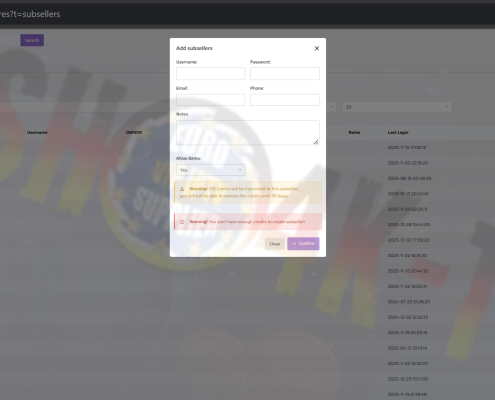
✅ 8K IPTV – Add New Reseller Page (Manage & Create Sub-Resellers)

my8k

✅ 8K IPTV – Add New Enigma2 (E2) Page (Manage & Add E2 Subscriptions)

my8k
PreviousNext

Become an IPTV Reseller and earn Money

Become a reseller of IPTV subscriptions and earn extra income with our IPTV SHO4K-TV service.

You can contact us via Our social media accounts


  • ✅ 8K IPTV – Ticket List Page (Manage & Track Support Requests)November 25, 2025 - 7:42 pm

    View and manage all your IPTV support tickets in one place. Track status, review messages, and access attachments for fast issue resolution.IPTV ticket list, manage IPTV tickets, view support tickets, track IPTV issues, IPTV ticket dashboard, IPTV user support, ticket status tracking, IPTV problem management, IPTV help center, support ticket list

  • ✅ 8K IPTV – Add New Ticket Page (Support & Issue Submission)November 25, 2025 - 7:30 pm

    Submit a new support ticket easily with your rank and daily limit displayed. Add detailed messages and upload media to get fast help with IPTV issues.

  • ✅ 8K IPTV – Reseller & Sub-Reseller User List Page (Manage All Users)November 25, 2025 - 7:25 pm

    Easily manage all users under your main and sub-reseller accounts. Track subscriptions, balances, demo tickets, STB connections, and online status efficiently.

  • ✅ 8K IPTV – Add New Reseller Page (Manage & Create Sub-Resellers)November 25, 2025 - 7:22 pm

    Quickly create and manage sub-resellers with secure credentials, credit allocation, demo permissions, and detailed notes. Track accounts efficiently and integrate instantly into your main reseller panel.

  • ✅ 8K IPTV – Add New Enigma2 (E2) Page (Manage & Add E2 Subscriptions)November 25, 2025 - 7:14 pm

    Add new Enigma2 IPTV lines quickly with global country support, custom bouquets, and VOD options. Track subscriptions, balances, and expiration dates efficiently. Contact support for fast activation.

  • ✅ 8K IPTV – M3U User List Page (Manage IPTV Accounts Efficiently)November 25, 2025 - 7:07 pm

    Manage all M3U IPTV users quickly with subscription, package, VOD, and STB tracking. Filter by reseller, country, and status. Keep balances, demo tickets, and expiration dates organized.

  • ✅ 8K IPTV – Add New M3U Line Page (Manage & Add IPTV Subscriptions)November 25, 2025 - 6:54 pm

    Add new M3U IPTV lines quickly with global country support, custom bouquets, and VOD options. Track subscriptions, balances, and expiration dates efficiently. Contact support for fast activation.

  • ✅ 8K IPTV – MAG User List Page (Manage & Monitor MAG IPTV Users)November 25, 2025 - 6:49 pm

    The MAG User List Page allows resellers to manage, monitor, and track all MAG IPTV accounts with subscription, package, STB, and connection details. For fast tests or credits, contact support via WhatsApp, Telegram, or website chat.

  • ✅ 8K IPTV – Quick Add New MAG Page (Fast MAG Activation & Subscription Management)November 25, 2025 - 6:45 pm

    The Quick Add New MAG Page allows resellers to activate MAG devices instantly with selected subscriptions and packages. For fast tests, credits, or activations, contact support via WhatsApp, Telegram, or website chat.

  • 8K IPTV – Add New MAG User Page (MAG Portal Creation & IPTV Device Activation)November 25, 2025 - 6:39 pm

    The Add New MAG User Page allows resellers to activate MAG devices instantly with full control over bouquets, VOD packages, country settings, and subscriptions. For fast test lines or credits, contact us via WhatsApp, Telegram, or website chat.

Othre IPTV Reseller

© Copyright -SHO4KTV
  • WhatsApp
  • Facebook
  • Skype
  • Refund and Returns Policy
  • Terms & conditions
Rebranding IPTV Smarters Pro and We Do Make Panel for Multiple DNS Supportxciptv
Scroll to top