
How to Jailbreak a Firestick in 30 Seconds
This step-by-step guide shows How to Jailbreak a Firestick in 30 seconds or less to unlock free content.
Jailbreaking a Firestick is one of the most popular techniques among cord-cutters and those interested in home technology.
This will allow you to access hundreds of 3rd party applications for free movies, live television, sports, TV series, documentaries, PPhttps://sho4ktv.com/test-iptv/V events, and more!
What is Jailbreaking a Firestick?
Jailbreaking a firestick is also called “side-loading,” which means installing 3rd party applications (APKs) not available within the Amazon App Store.
This is common with many VOD apps, IPTV services, players, live TV apps, device cleaning tools, Kodi, file managers, streaming websites, M3U files, and other applications.
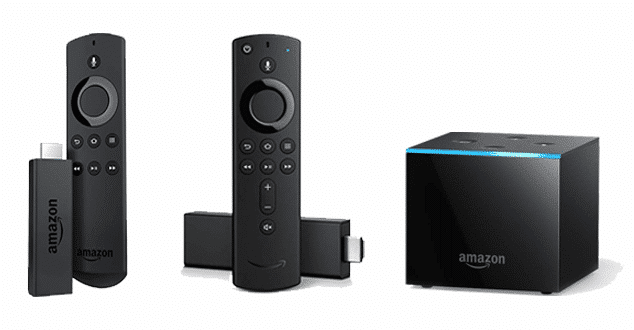
This process works on any Amazon Firestick, Fire TV, Fire TV Cube, IPTV boxes, and any device that runs the Android operating system (OS).
In other words, you can think of jailbreaking as the process of unlocking your Firestick and allowing you to access an endless supply of content on the internet.
Thankfully this is an easy process and is perfect for everyone. Even for those with little technical knowledge.
Is Jailbreaking a Firestick Legal?
Yes, jailbreaking a firestick is 100% legal. This is a question IPTV Wire receives quite often.
While jailbreaking became a popular term for iPhones and Apple devices, the process for an Amazon Firestick/Fire TV is different.
By enabling Unknown Sources within settings, we are simply allowing for the installation of 3rd party apps or add-ons not available within the Amazon App Store.
While installing these apps is not illegal in any way, streaming some of the content within these is.
That is why it is important to only use 3rd party applications for public domain movies along with legal IPTV providers.
Also, to safeguard your privacy, always use a VPN (more on this later).
After you jailbreak a firestick, we have also provided instructions for installing popular app stores, Kodi, free movie apps, live TV apps, and how to protect yourself from hackers, app developers, your Internet service provider (ISP), and other watchdog groups.
How to Jailbreak a Firestick
The first step on how to jailbreak a firestick is installing the Downloader App.
1. From your device’s home screen, hover over Find. Then click Search.
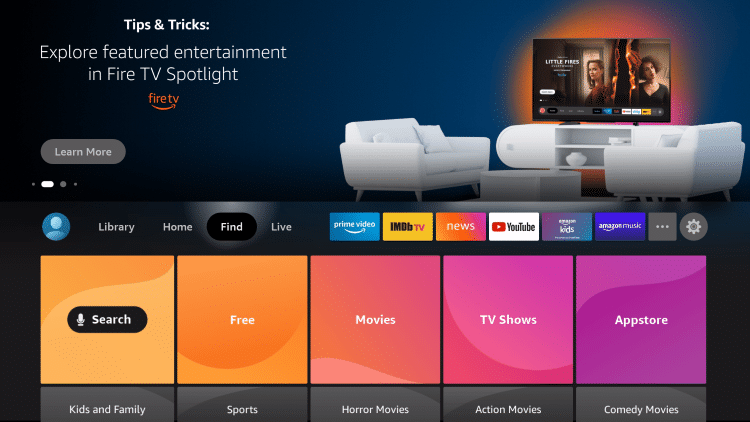
2. Enter in “Downloader” and click the first option that appears.
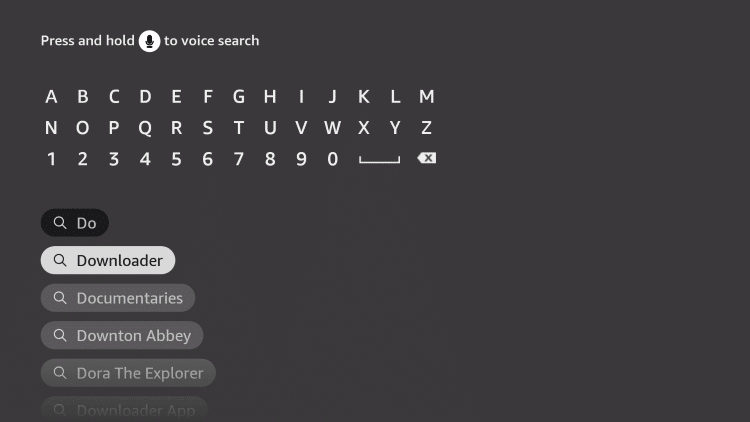
3. Select the Downloader App.
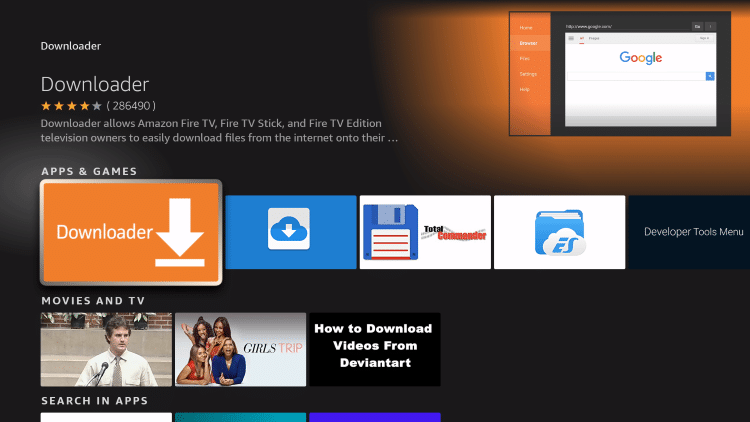
4. Click Download.
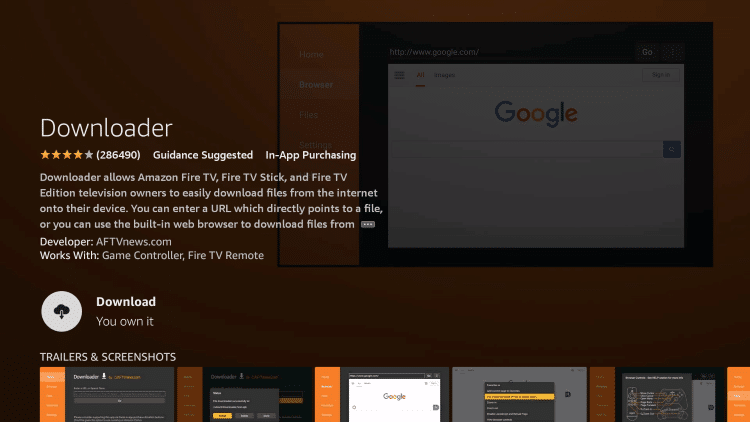
5. Wait a few seconds for the app to install.
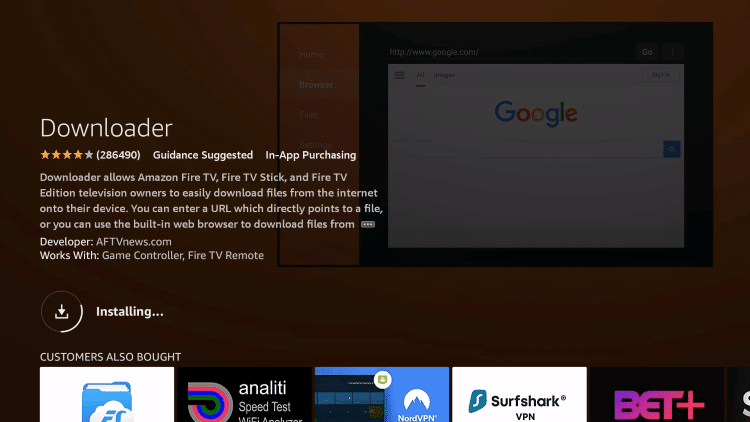
6. Click Open after the app has finished installing.
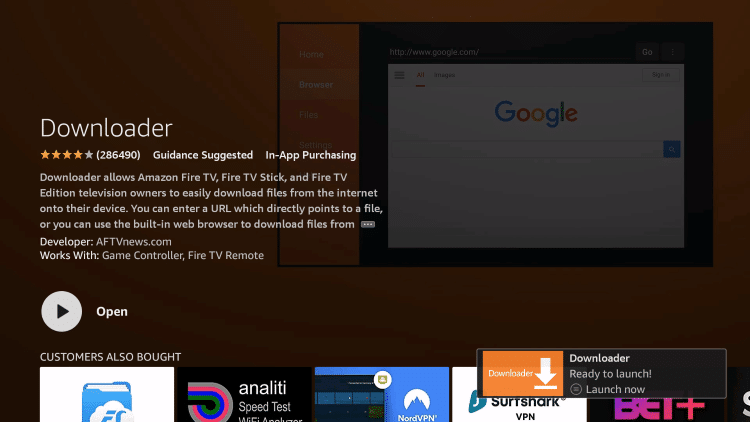
7. Return back to the home screen and click the Settings icon.
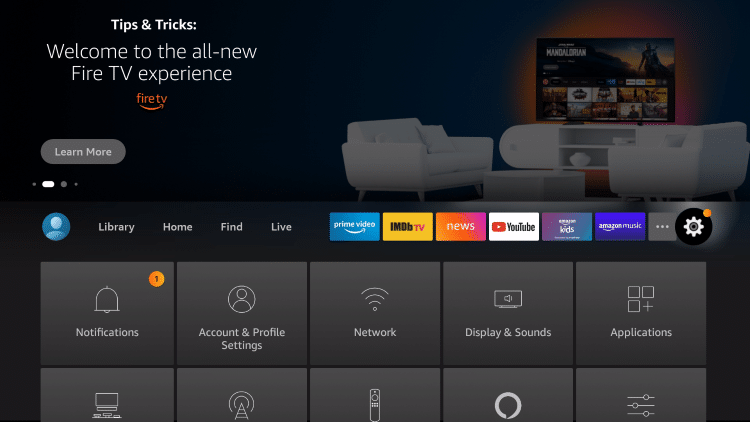
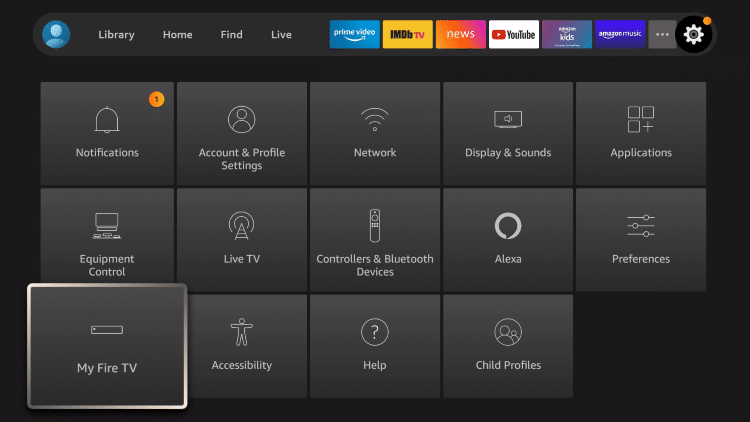
8. Locate and select My Fire TV.
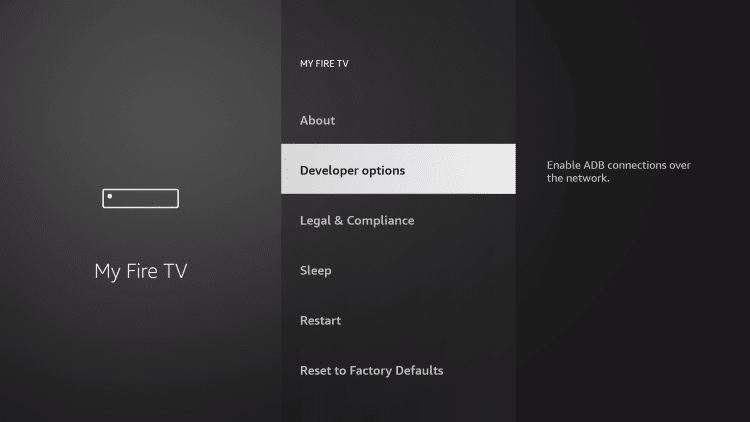
9. Click Developer options.
10. Click Install unknown apps.
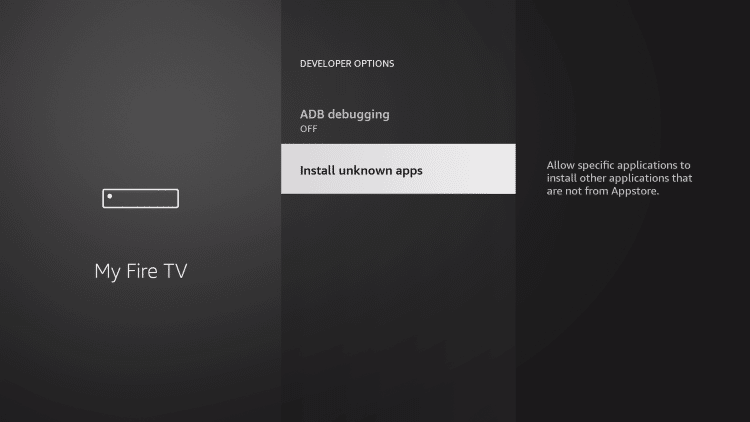
11. Locate the Downloader app and click the OK button.
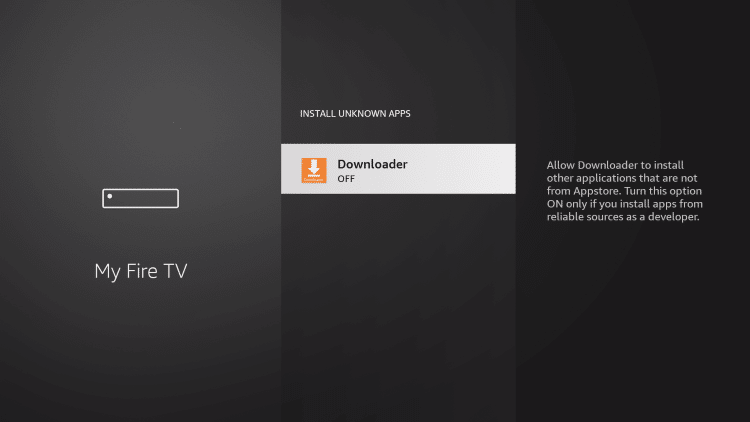
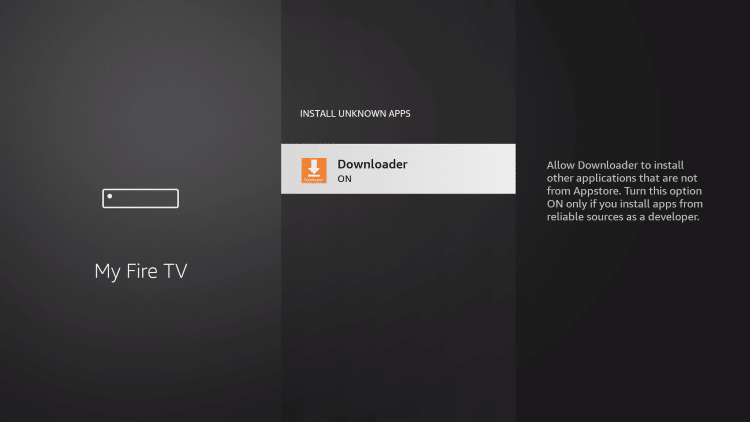
12. You will notice Unknown Sources is now “ON” for the Downloader app. You have technically “jailbroken” the firestick.
13. Next launch the Downloader app and input any URL you prefer to install (side-load) any 3rd party application.
IPTV Wire Tip: There are many secret Downloader codes that can be used for installing apps.

That’s how to jailbreak a firestick! Continue below to find instructions for installing Kodi, secret app stores, free TV apps, and much more.
Jailbreak Firestick – Kodi 19 Instructions
Now that you have jailbroken your Firestick you can install tons of apps for all your content needs.
In the tutorial below, we are installing Kodi which is one of the most popular 3rd party applications available.
Installing Kodi on your Firestick is a simple process that we have outlined below.
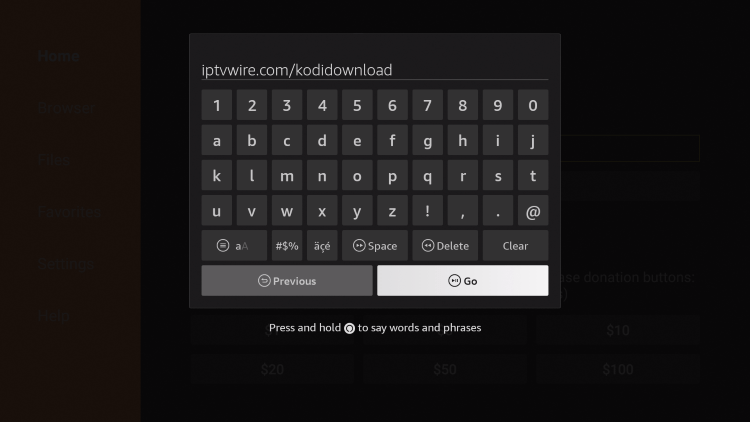
1. Launch Downloader and click the URL box.
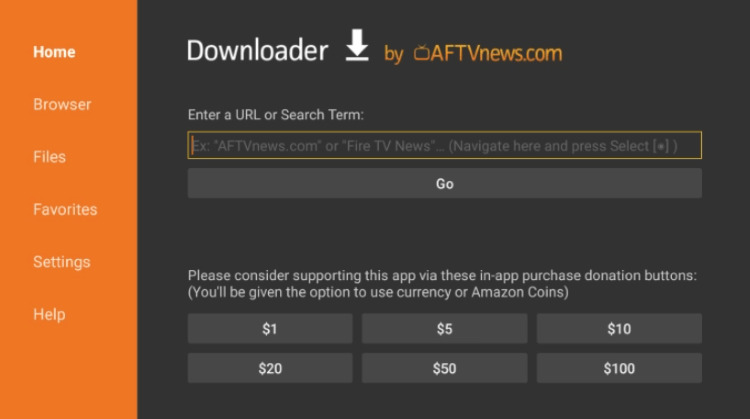
NOTE: This link points to the official Kodi download file hosted at Kodi.tv.
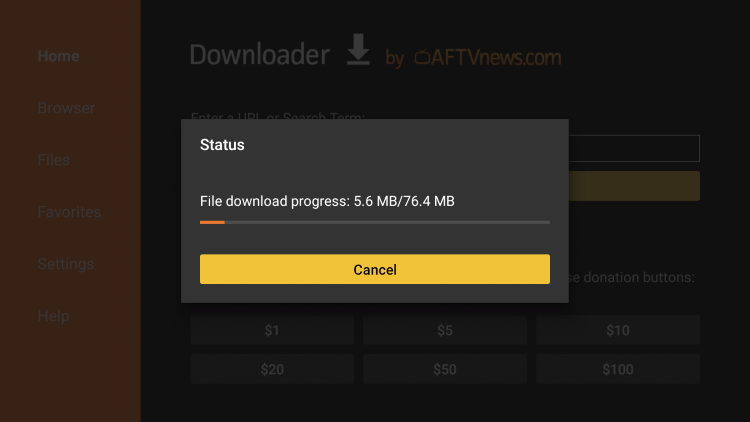
3. Wait for the file to download.
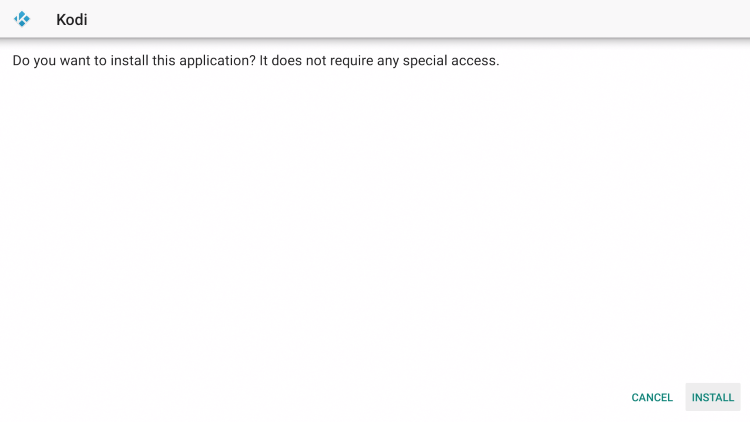
4. Click Install.
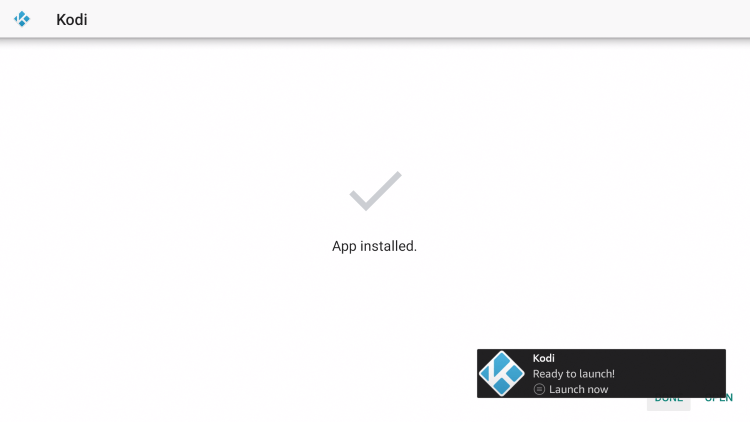
5. Click Open to launch Kodi.
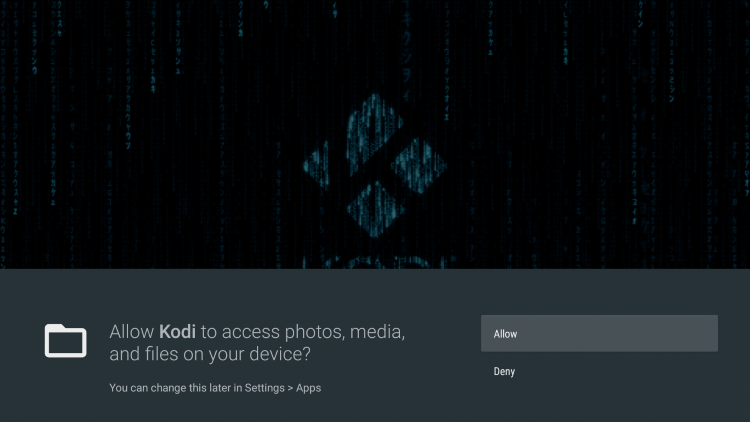
6. Kodi will launch for the first time, click Allow.
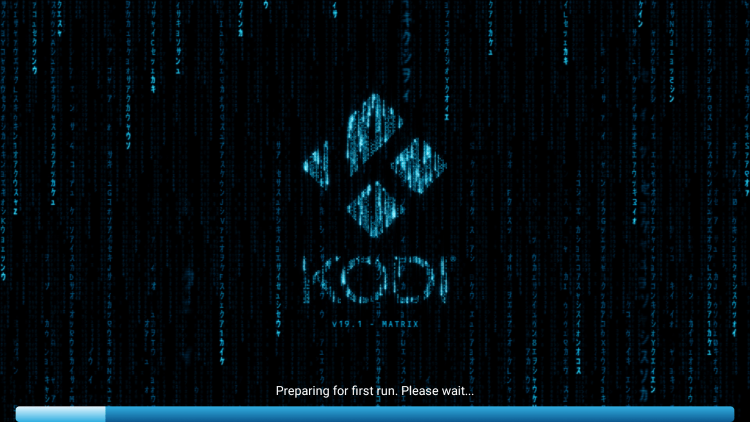
7. Wait a few seconds for Kodi to load.
8. That’s it! You have installed Kodi on your jailbroken Firestick.
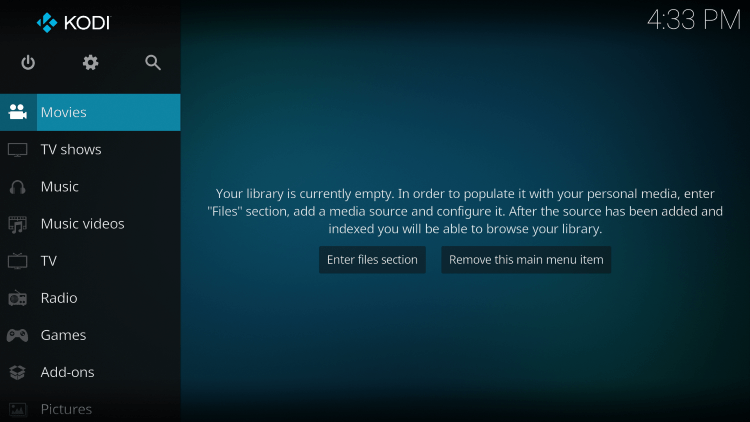
With Kodi installed on your Firestick, you can now download various Kodi builds and addons to access the content.
Diggz Xenon Build
Diggz Xenon is arguably the most popular Kodi build available that provides options for movies, TV series, live channels, sports, and more.
No Limits Magic Build (Kodi 18)
The No Limits Magic Build has been a staple among Kodi users for several years. This popular build only works with Kodi 18 Leia and provides sports, live channels, and VOD content.
The Crew
The Crew Kodi Addon is an all-in-one tool for Kodi users that features free movies, TV shows, sports, live TV, and much more on any device.
Seren
The Seren Kodi addon features Movies and TV Shows for viewing with tons of categories to choose from. This is a premium add-on that requires Real-Debrid.
Mad Titan Sports
Sports fans will love the Mad Titan Sports Kodi addon that has tons of live streaming options and more for all things sports.
Wondering what to do next? Continue reading below for how to use a jailbroken firestick.
Jailbreak Firestick – Best Streaming Apps
In addition to Kodi, there are many other apps you can use after jailbreaking your Firestick.
We have included the best streaming apps below for free movies, TV shows, live TV, sports, and more.
Cinema APK (Movies & TV Shows)
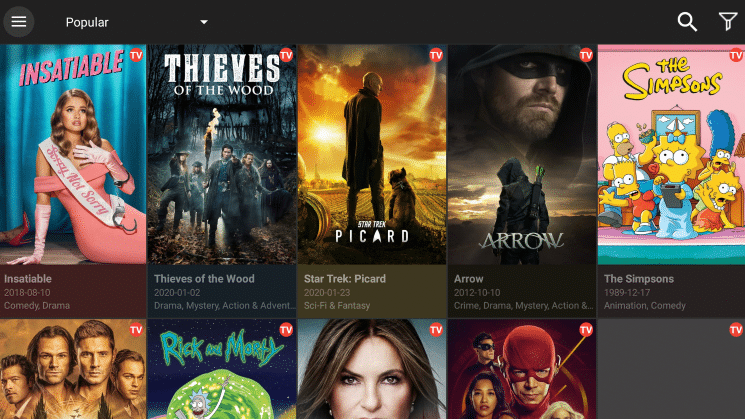
Cinema HD APK is one of the most popular VOD apps for free movies and TV shows.
See our guide below for installing on your Firestick.
1. Launch the Downloader app and click the URL box.
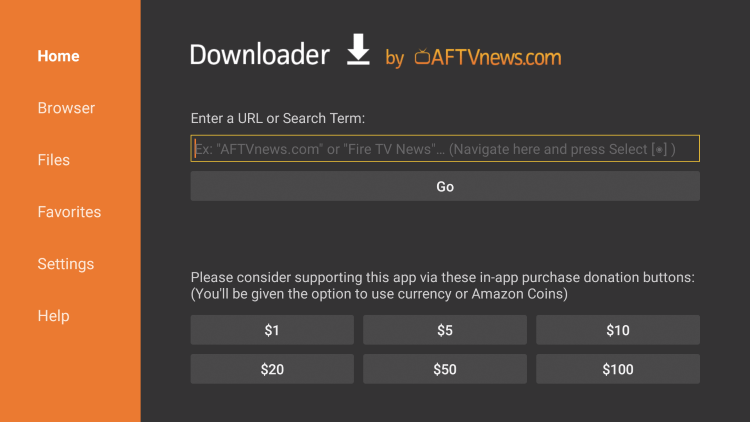
2. Enter the following URL and click Go – cinemahdapkapp.com/download

3. Scroll down and click Download Cinema HD. This should have the latest version.
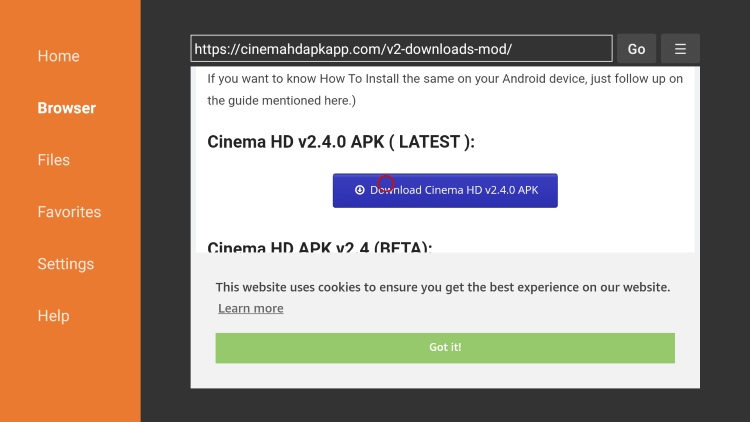
4. Wait for the file to download.

5. Click Install.
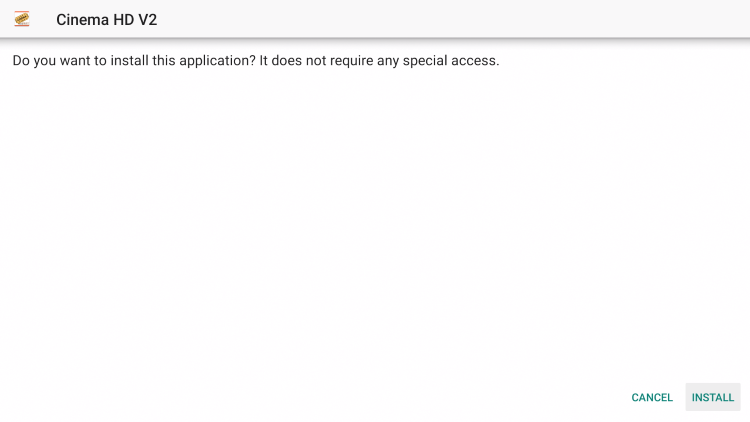
6. Click Open or Done.

7. If presented with the developer change logs click OK.

8. That’s it you have installed Cinema APK on your jailbroken Firestick!
Live Net TV (Live TV)
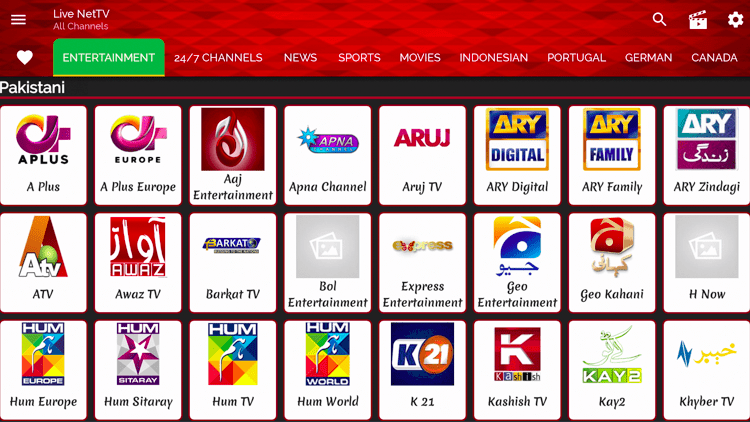
If you are searching for free live TV options, check out the Live Net TV app. This free application holds hundreds of live channels.
Go through the steps below for installing Live Net TV on your jailbroken Firestick.
1. Launch the Downloader app and click the URL box.
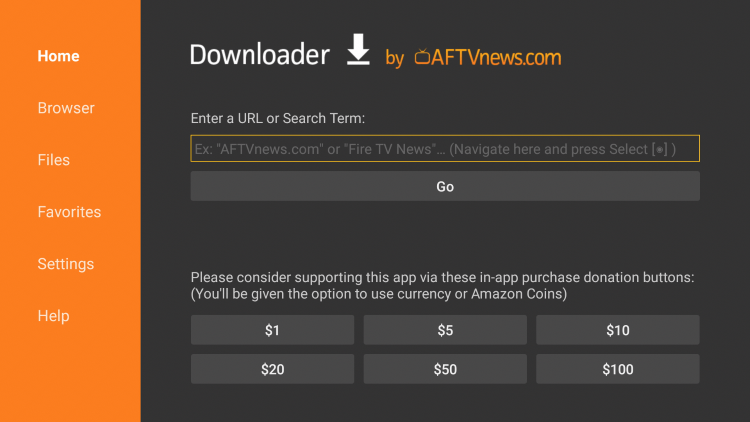
2. Enter the following URL and click Go – https://livenettv.bz

3. Scroll down and click Download for Android.
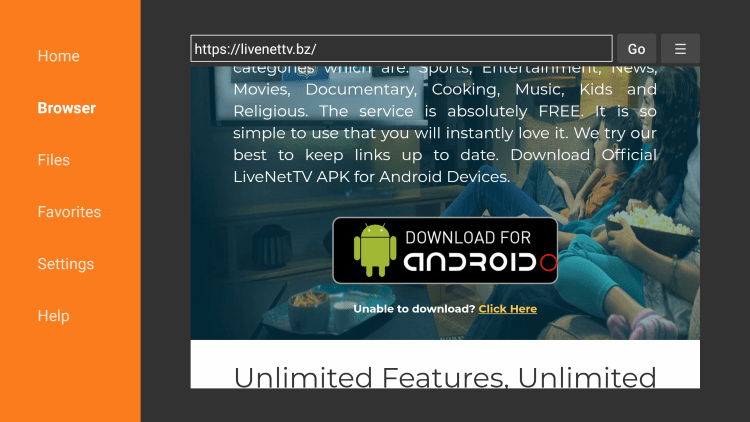
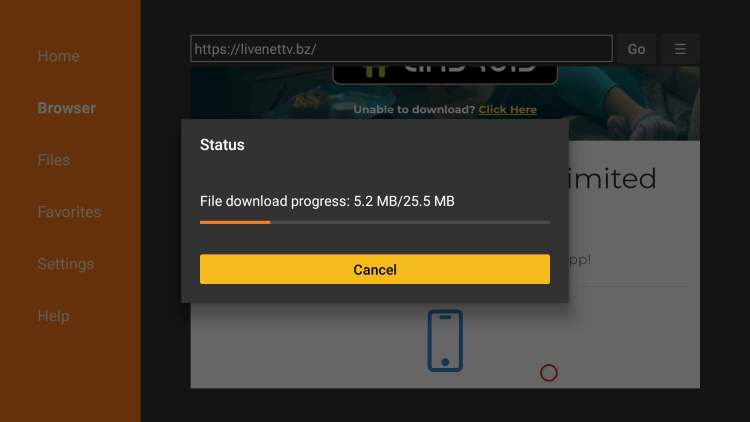
4. Wait for the app to download.
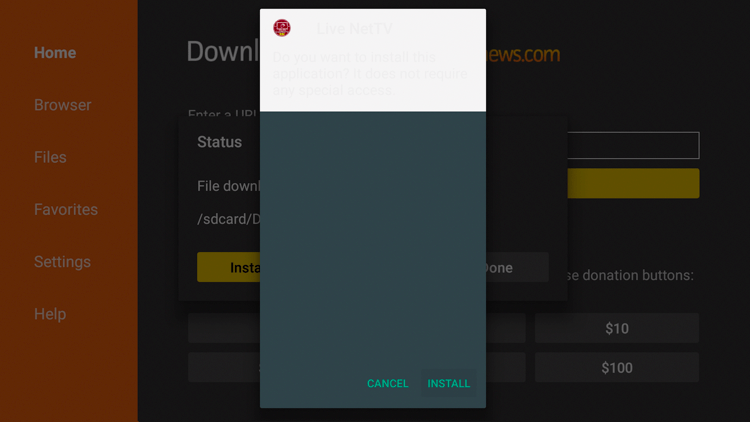
5. Click Install.
6. Click Open or Done.
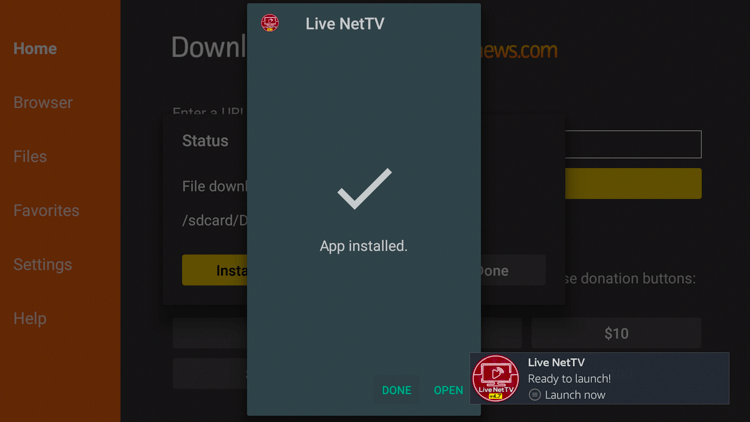
7. Launch the Live Net TV app on your Firestick.

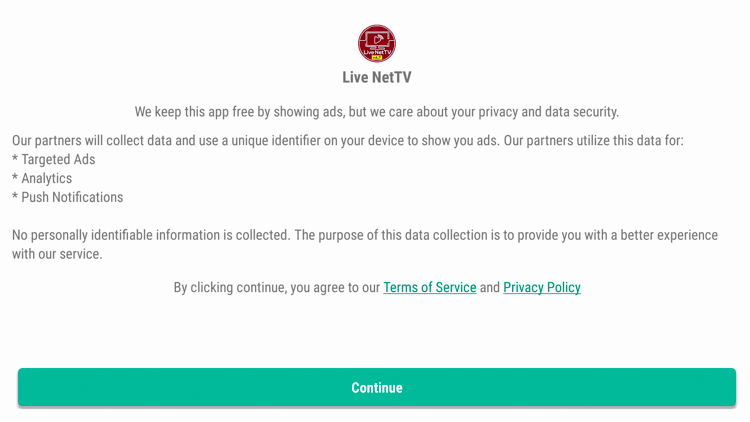
8. Click Continue.
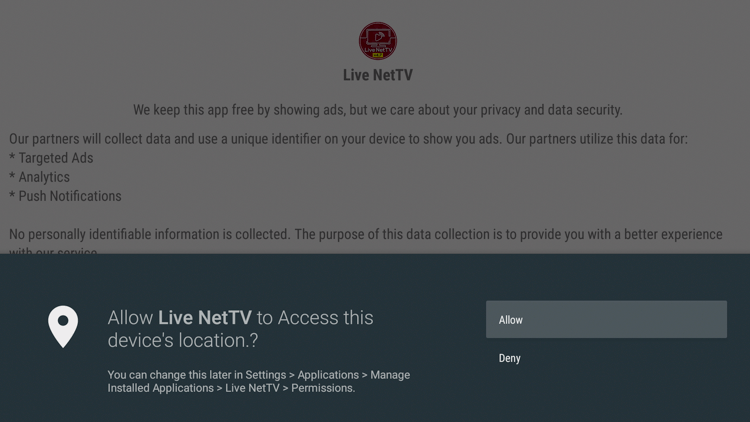
9. Click Allow.
10. Enjoy the hundreds of free live channels with Live Net TV on your jailbroken Firestick.
Swift Streamz (Live TV)
Swift Streamz APK is another popular live TV app with hundreds of free live channels. This is similar to Redbox TV APK.
This is another great Live TV option to pair with Cinema APK or Kodi. Follow the steps below for installation.
1. Launch the Downloader app and click the URL box.
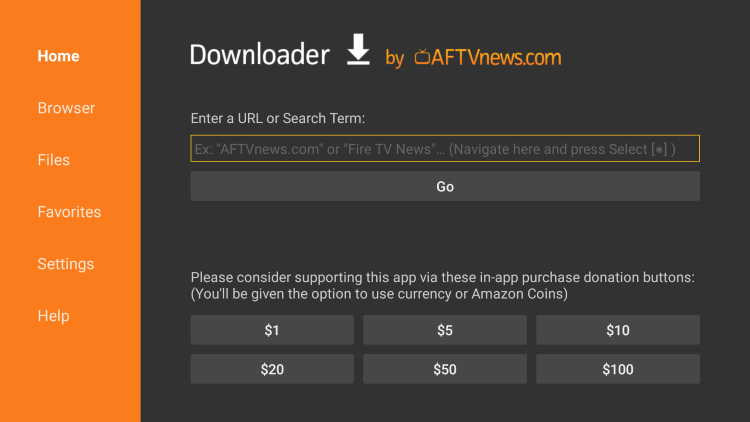
2. Enter the following URL – techbigs.com/swift-streamz.html and click Go.

3. Scroll down and click Download Now.

4. Click the latest APK version of Swift Streamz.

5. Scroll down and click Download.

6. Wait for the app to download.

7. Click Install.
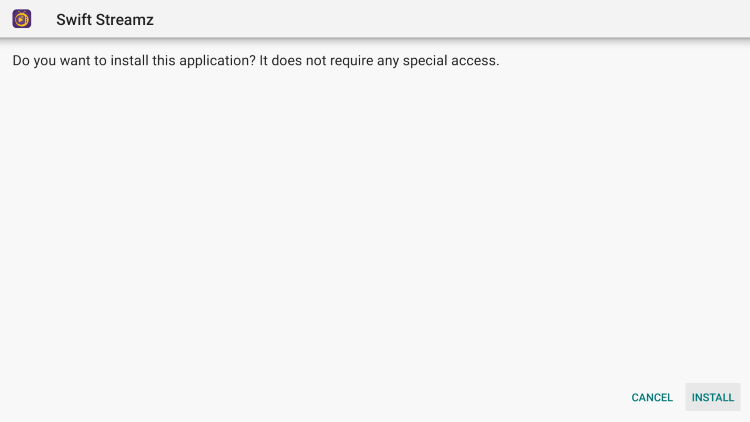
8. Click Done.

9. Launch the IPTV app.
10. That’s it! You have finished installing Swift Streamz APK on your Firestick!
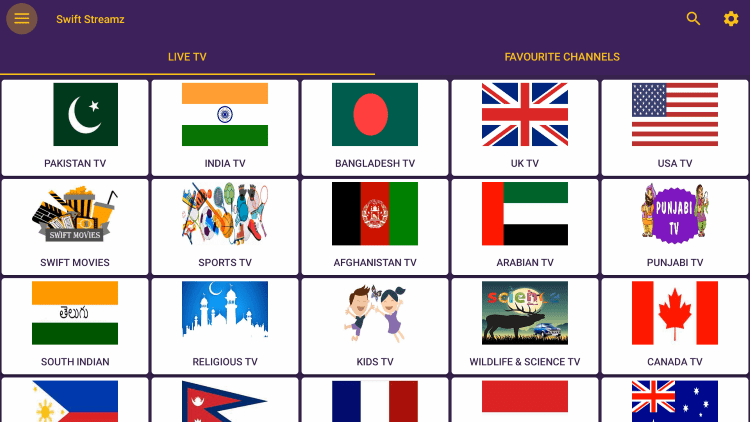
Continue reading below for installing the best secret app stores on your jailbroken Firestick.
More Jailbroken Firestick Apps

















Jailbreak Firestick – Install Secret App Stores
After you have jailbroken a firestick, you can now install secret app stores with thousands of applications for free movies, live TV, games, and much more.
NOTE: if you encounter any issues with your device, we suggest a simple firestick restart that takes a minute or less.
Unlinked
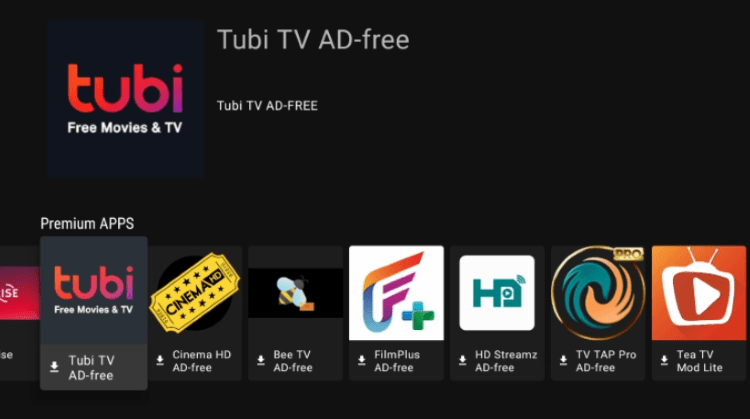
Unlinked APK is the most popular secret app store that holds thousands of 3rd party apps for free movies, TV, live TV, and more. These can be accessed using secret Unlinked codes.
Follow the screenshots below for installing Unlinked on your jailbroken Firestick.
1. Launch Downloader and click the URL box.
2. Type the following URL exactly as it is listed here – https://unlinked.link and click Go
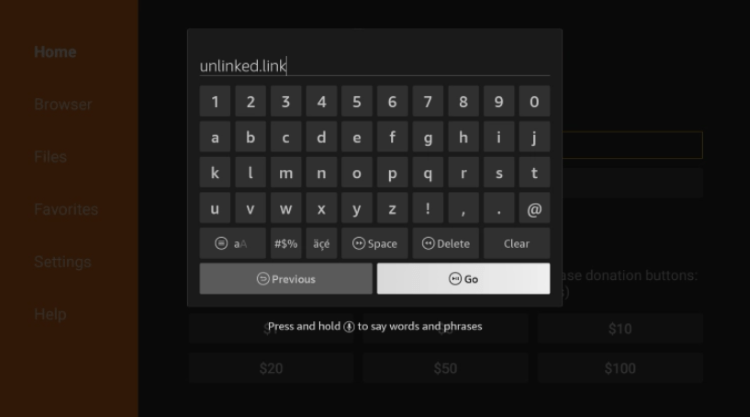
3. Scroll down and click Download Android App.

4. Wait for the file to download.
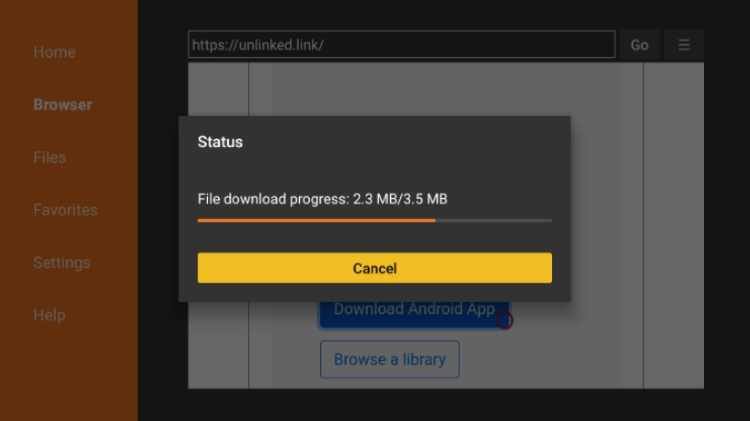
5. Click Install.
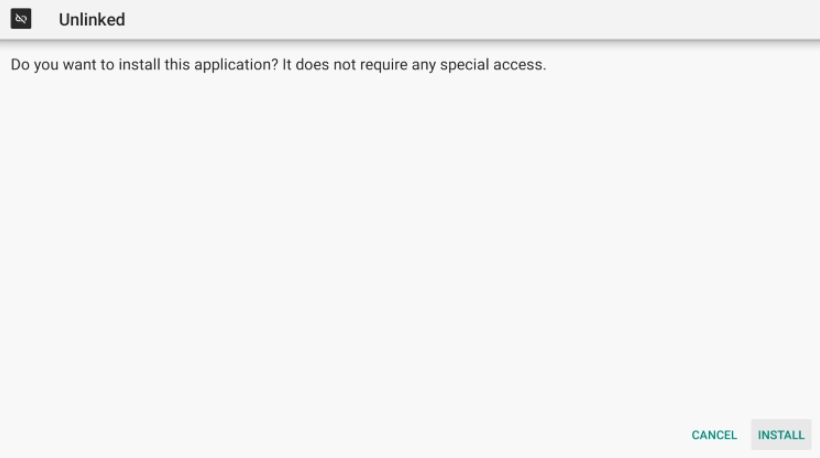
6. Click Open or Done.
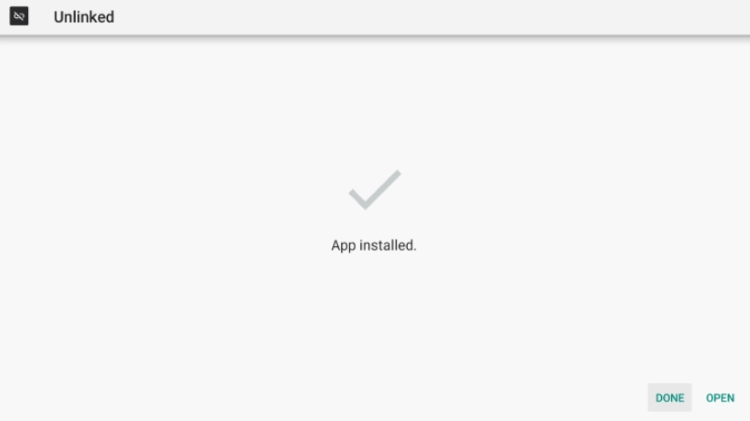
7. Prior to launching Unlinked APK, you will need to enable Install Unknown Apps within the developer options.
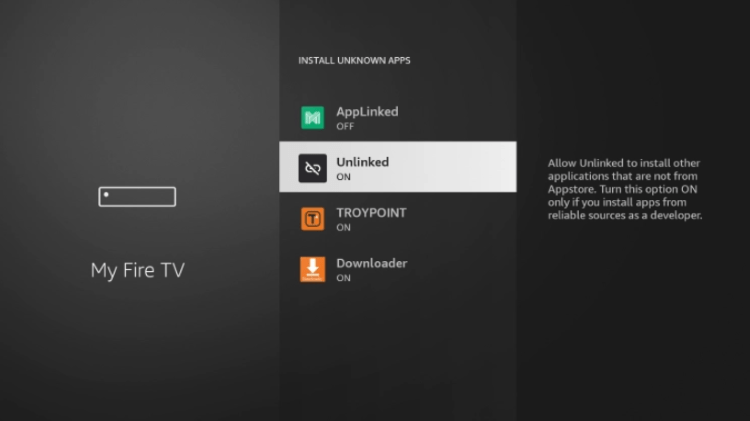
8. That’s it you have successfully installed Unlinked APK! Click Add to enter the code for a new library.

9. There are several codes to choose from with thousands of free apps.
Aptoide TV
Aptoide TV is another popular 3rd party app store that holds many applications found in the Google Play Store.
Go through our quick step-by-step tutorial below for installing Aptoide TV on your jailbroken Firestick.
1. Launch the Downloader app and click the URL box.
2. Click the Search box and type the following URL exactly as it is listed here – tv.aptoide.com and click Go
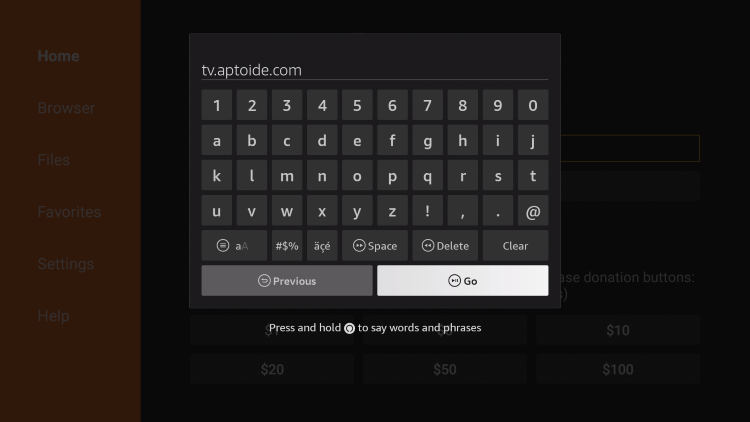
3. Scroll down and click Download Aptoide TV.
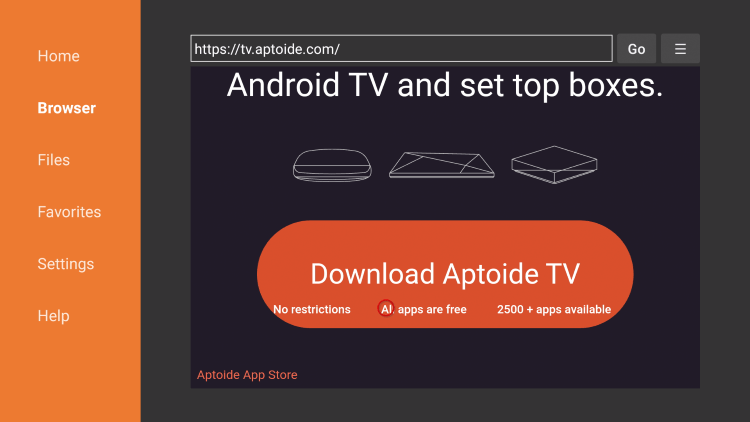
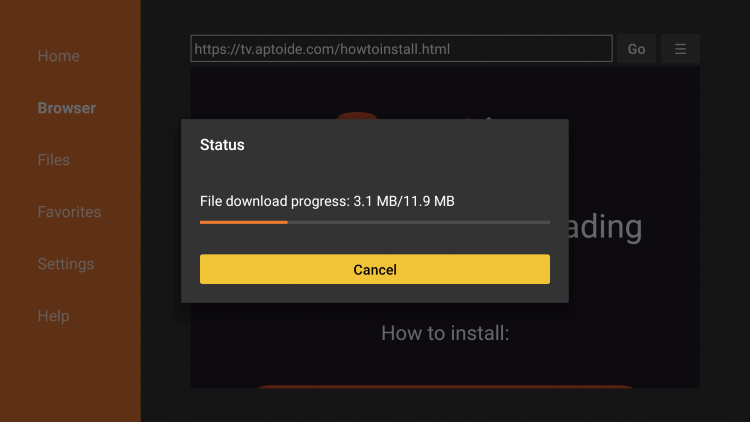
4. Wait for the file download to finish.
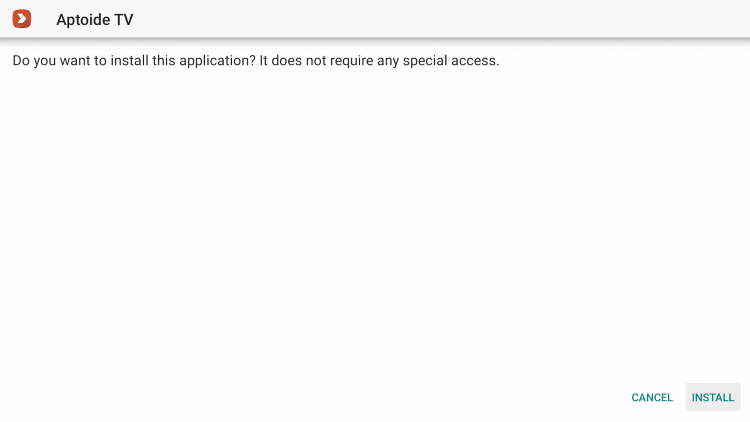
5. Click Install.
6. Click Open or Done.
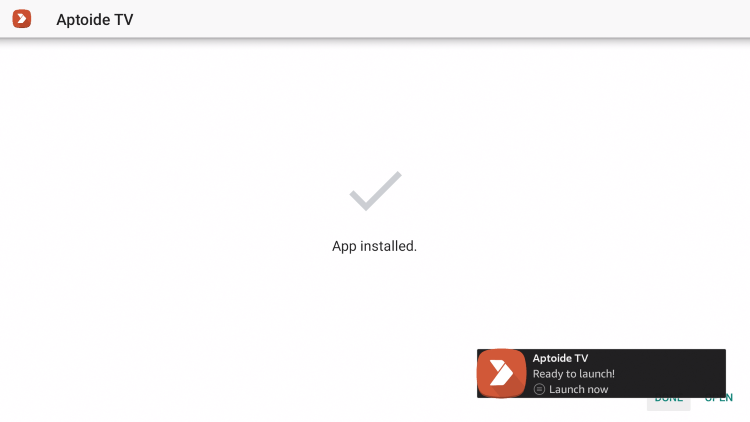
7. Prior to installing apps from Aptoide TV, you must make sure Install Unknown Apps is turned on.
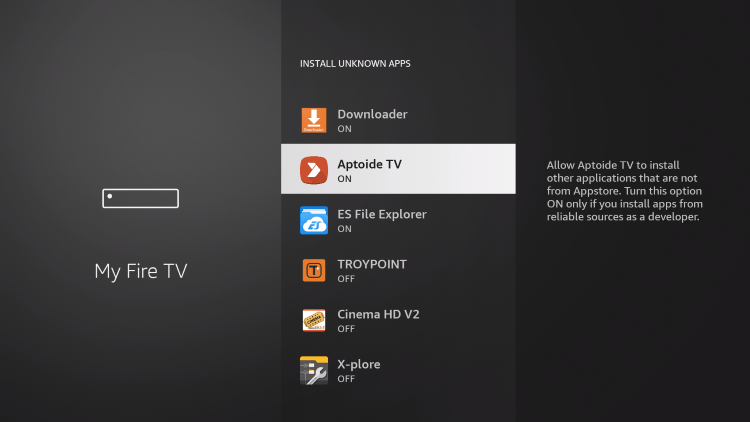
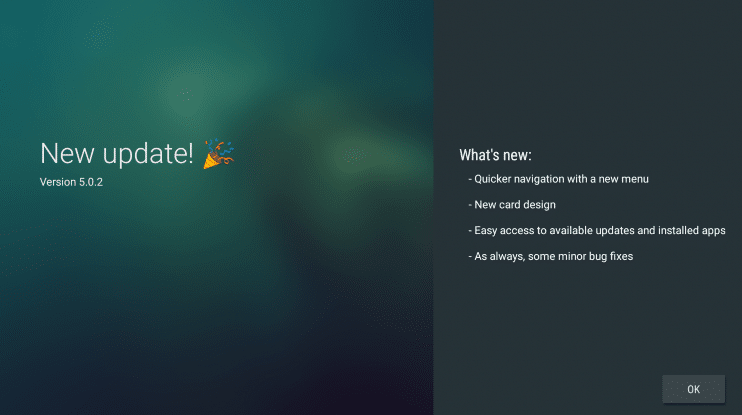
8. Launch Aptoide TV.

9. Click OK.
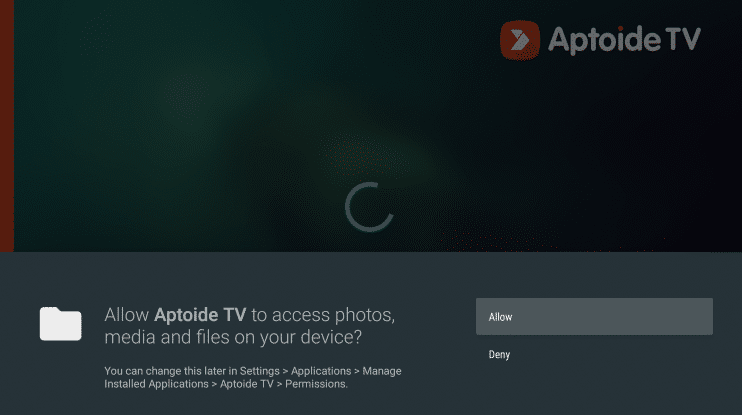
10. Click Allow.
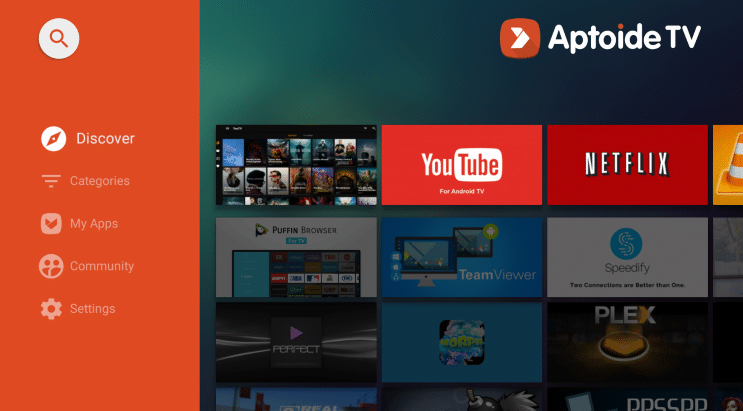
11. You are now ready to install apps using Aptoide TV on your jailbroken Firestick.
After jailbreaking a firestick and installing 3rd party apps, it becomes very important to protect yourself online. Continue below for more information.
AppLinked
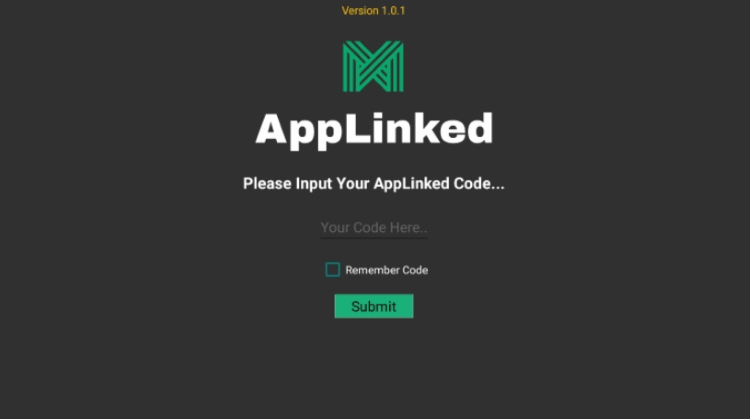
After FileLinked was shut down, AppLinked has emerged as the most popular replacement.
AppLinked provides quick installation for all the best IPTV players, movie apps, tools, Kodi addons, and more.
Follow the steps below for installing AppLinked on any jailbroken firestick or Fire TV device.
1. Launch the Downloader app and click the URL box.
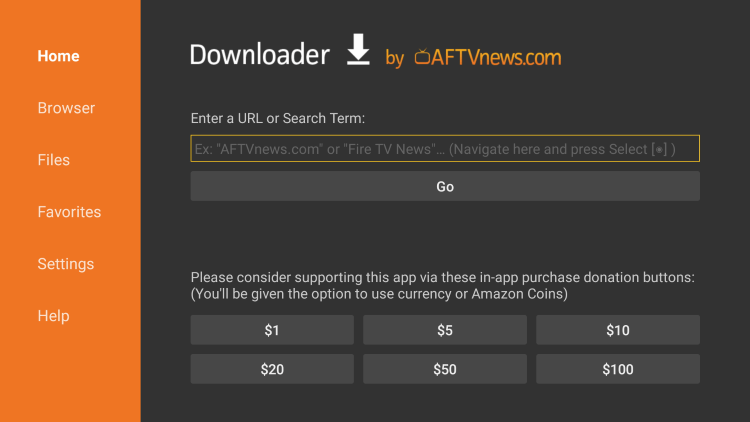
2. Type the following URL exactly as it is listed here – https://applinked.store and click Go
Note: This is the official source of AppLinked APK
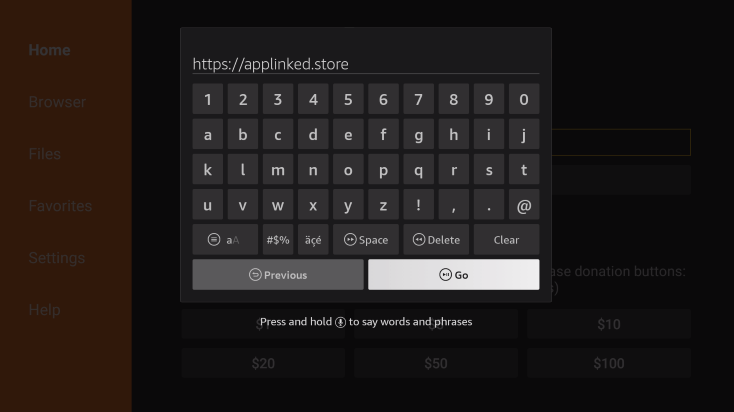
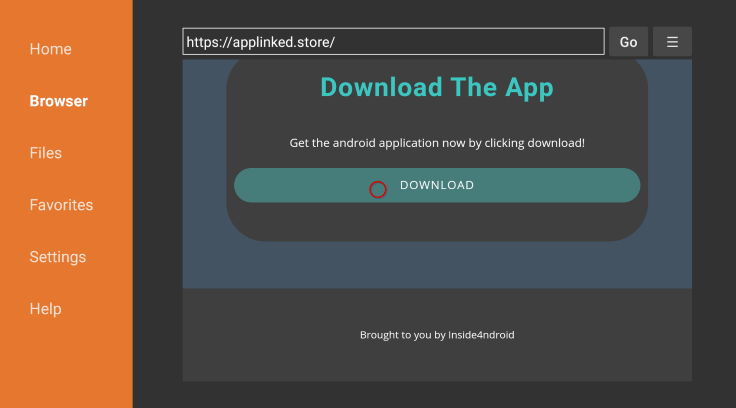
3. Scroll down and click Download.
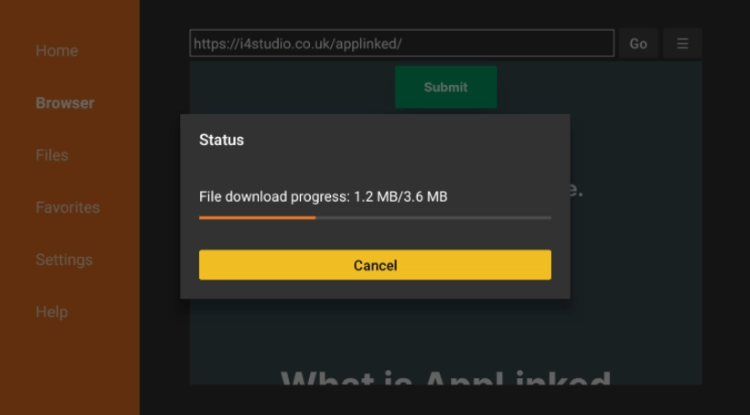
4. Wait for the file to download.
5. Click Install.
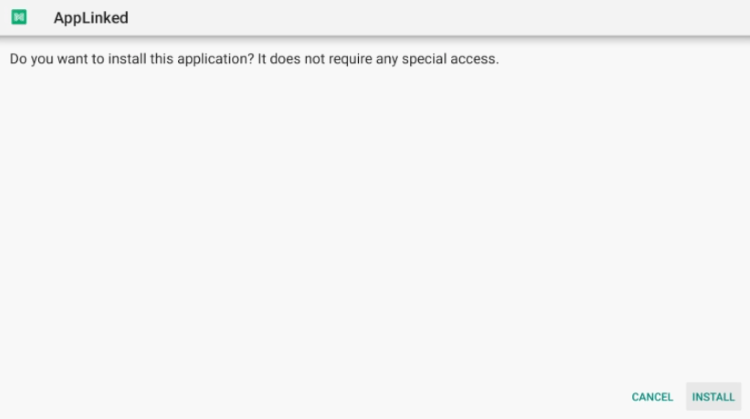
6. Click Done or Open.

7. Click Allow.
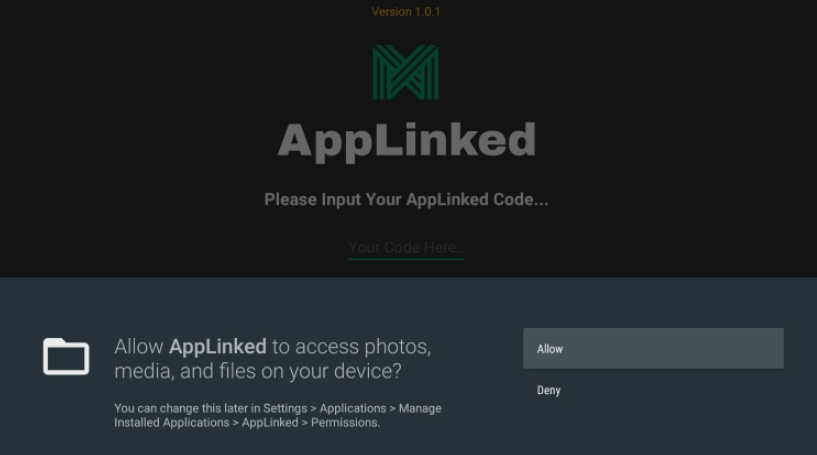
8. That’s it! You have successfully installed AppLinked APK!
Protect Yourself After Jailbreaking a Firestick
After you have jailbroken a firestick, it’s very important to understand the risks involved when using 3rd party applications.
Since 3rd party applications aren’t available within trusted app stores like Amazon or Google Play, we consider these applications to be “unverified.”
Therefore, the developers of unverified apps are unknown and can easily access or sell user data that is not protected.
The best way to protect yourself after jailbreaking a firestick is by using a Virtual Private Network (VPN) on your device.
A VPN will encrypt your connection to the Internet so it is impossible for your ISP to monitor what you want to access online.
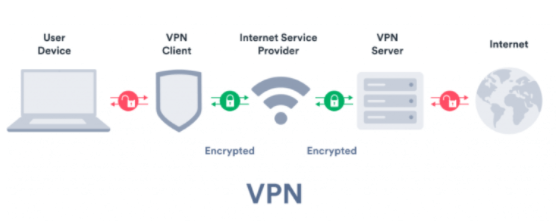
It’s important to understand that some internet service providers (ISPs) block unverified IPTV services and the only way to access them is by using a VPN.
Follow the steps below for installing the best VPN on your jailbroken Firestick or Fire TV device.
For more information on the legality of streaming live TV, see Is IPTV Legal?
LEGAL DISCLAIMER: IPTV WIRE does not own or operate any IPTV service or streaming application. We do not host or distribute any applications. We do not verify whether IPTV services or app developers carry the proper licensing. The end-user shall be solely responsible for media accessed through any device, app, addon, or service mentioned on our Website.
For 100% legal IPTV service, IPTV WIRE recommends Vidgo.
Jailbreak Firestick FAQ
How do you Jailbreak a Firestick?
Jailbreaking a firestick is a simple process outlined in this guide. The first step is to enable unknown sources on your device.
What does it Mean to Jailbreak a Firestick?
Jailbreaking a Firestick is also called “side-loading,” which means installing 3rd party applications (APKs) not available within the Amazon App Store.
In other words, you can think of jailbreaking as the process of unlocking your Firestick and allowing you to access an endless supply of content on the internet.
Is Jailbreaking a Firestick Legal?
Yes. It is not illegal to jailbreak a Firestick. However, what you access after jailbreaking may be illegal. Always use a VPN as outlined on this page so you can use your Firestick anonymously.
Is Jailbreaking a Firestick Safe?
Yes jailbreaking a firestick is safe since we aren’t manipulating the device hardware in any way so there is no harm.
Can you Undo a Jailbroken Firestick?
Yes, simply go through the screenshot tutorial above in the reverse direction. Or, perform a complete reset on your device through the settings panel.
Related
FREE TEST IPTV
iPTV TEST You can take a look at our quality by receiving broadcast. We have no doubt that it will satisfy you with renewed technology and publications. Get an iPTV TEST now.
Leave a Reply
Want to join the discussion?Feel free to contribute!